
Overview
KIROKUも (記録 “record” + も “more”) is an all-in-one Japanese-learning web app built around a genuine spaced-repetition system. Learners enroll in JLPT-aligned modules, study and practice vocabulary, grammar, kanji and kana, then review every item on a schedule tuned to their own memory and settings.
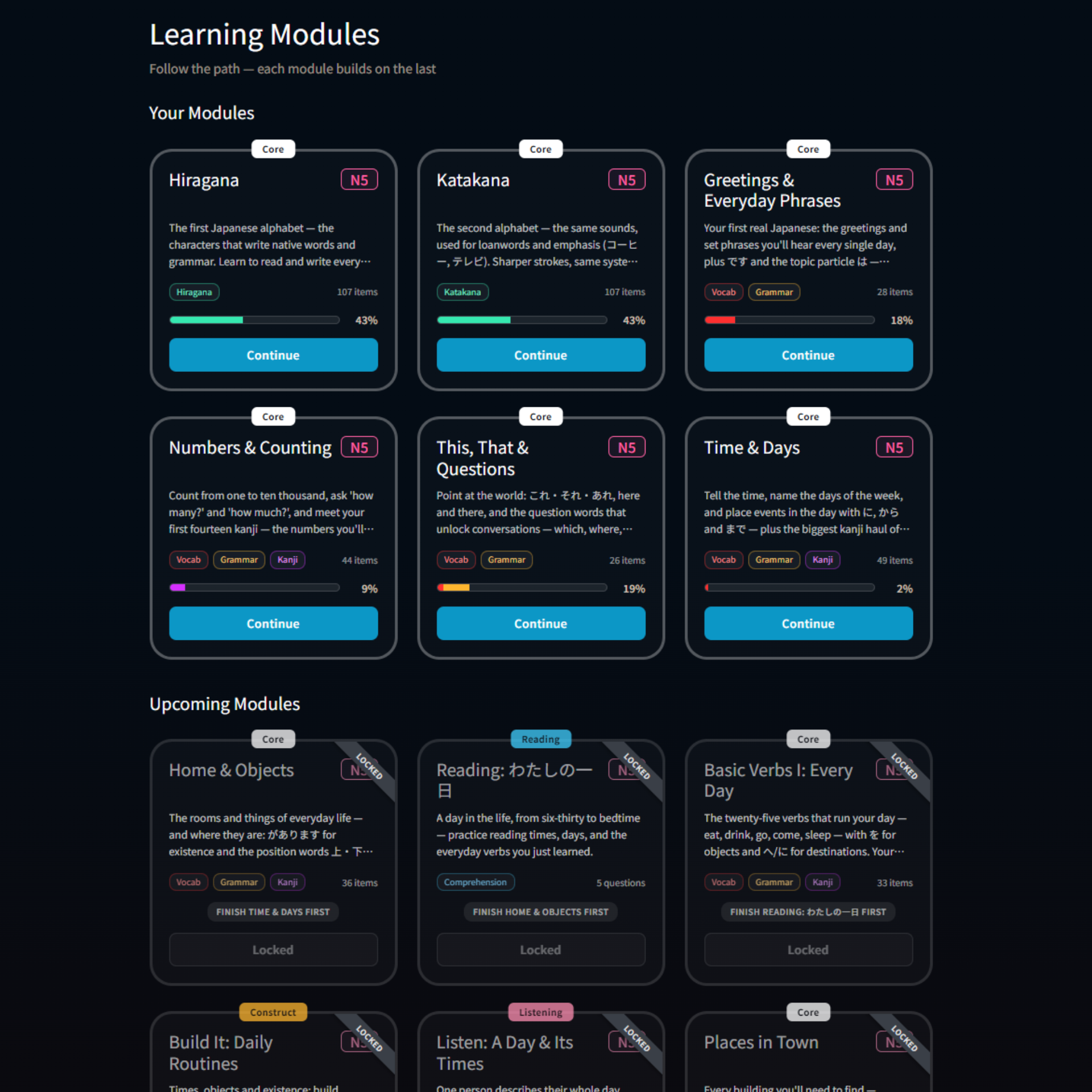
The idea is to replace the usual pile of single-purpose apps — one for flashcards, one for grammar, one for kanji — with a single learning path. Vocabulary, grammar, kanji, kana, reading comprehension, sentence construction and listening all live in one place under one subscription, from N5 through N1.
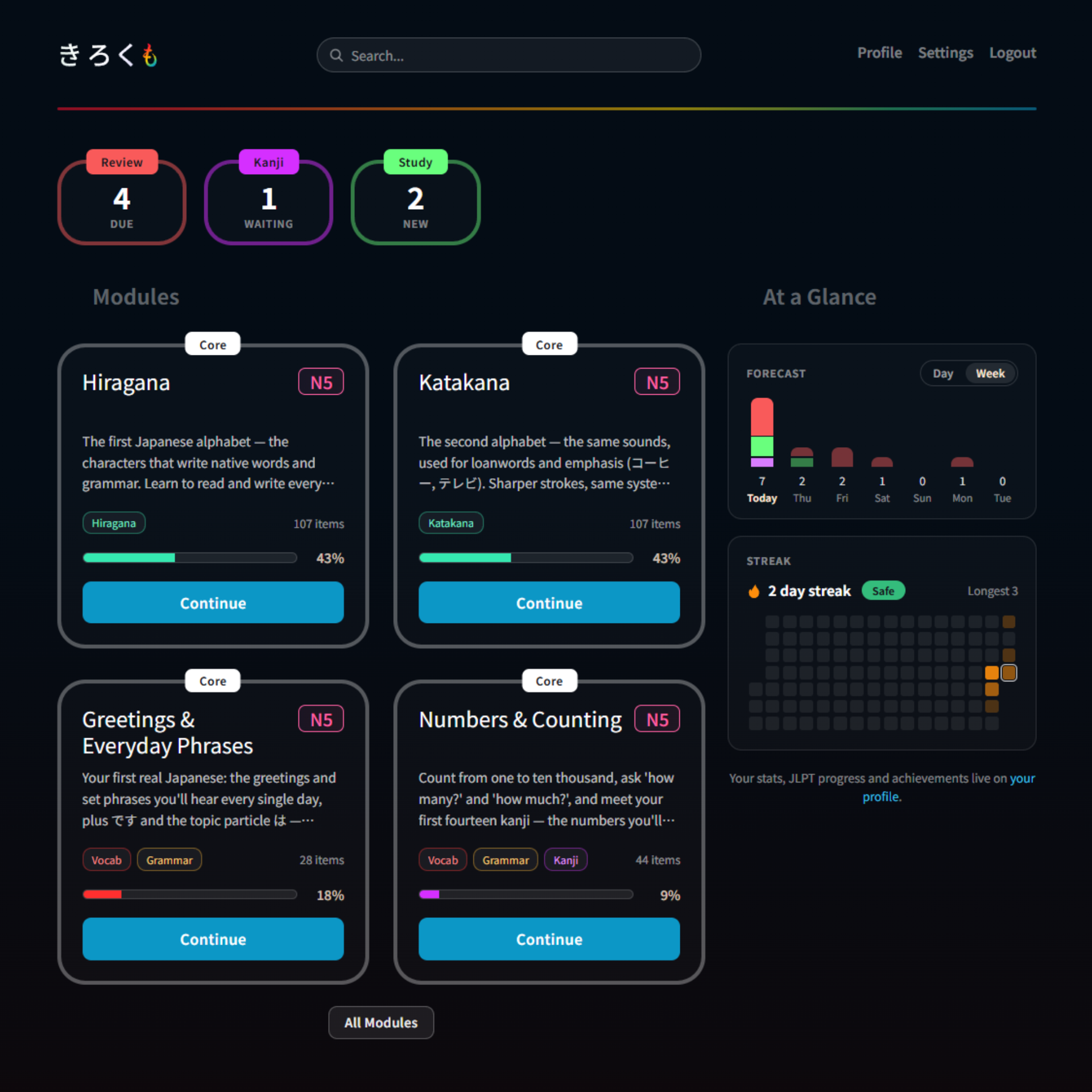
The learning loop
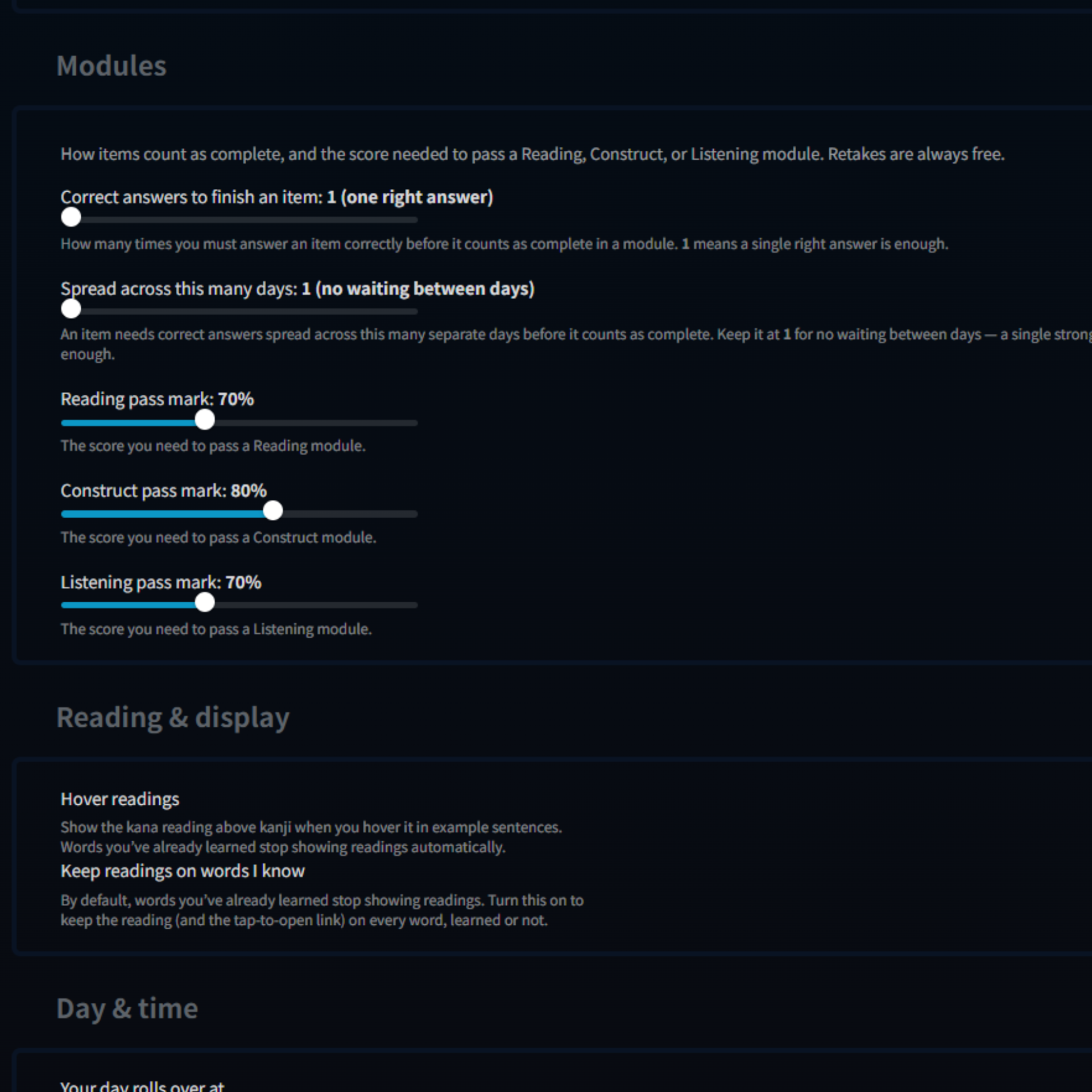
Every item moves through a two-phase loop. A read-only study step introduces it, then a practice quiz asks you to produce the answer from memory. Your first correct answer is what adds the item to your review queue, and from there it's scheduled rather than repeated on demand. Progress is tracked item by item, from freshly seen to fully mature, and learners who want a stricter gate can require several correct answers across separate days before an item counts as learned.
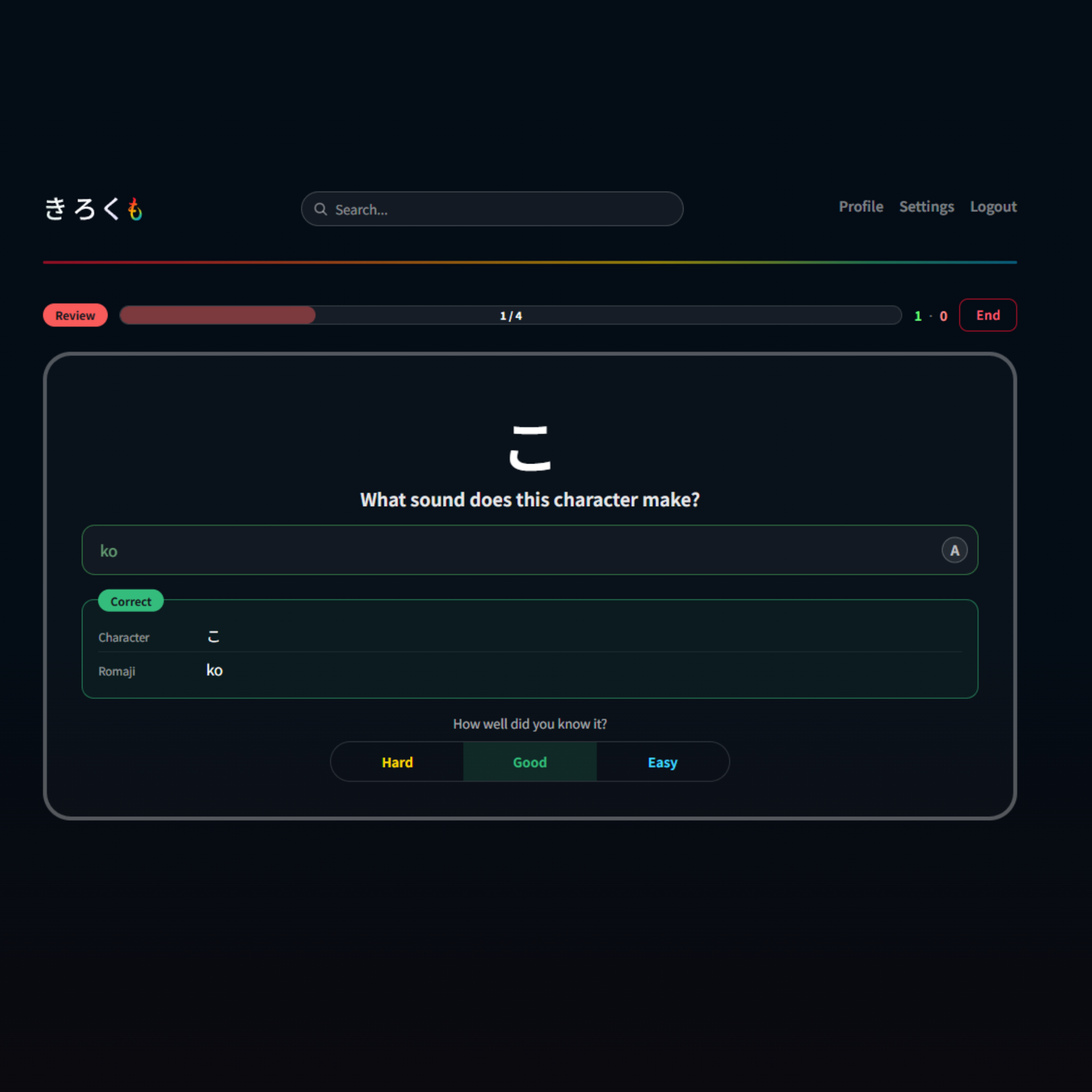
Spaced repetition that adapts to you
Once an item graduates, its reviews are scheduled with FSRS (the Free Spaced Repetition Scheduler) rather than fixed intervals, so the gaps stretch or tighten based on how well each item is actually sticking. Every schedule runs through the learner's own settings: desired retention, daily caps on new items and reviews, and a day cutoff that respects their timezone. All of it is chosen at signup and editable at any time, and the scheduler can be tuned to each learner from their own review history as it builds.
Grading happens on the server, never in the browser, so scores can't be nudged from the client side. Every answer is recorded, and that history drives the retention stats, streaks, and leech detection that pulls troublesome items aside for focused practice.
Three ways to be quizzed
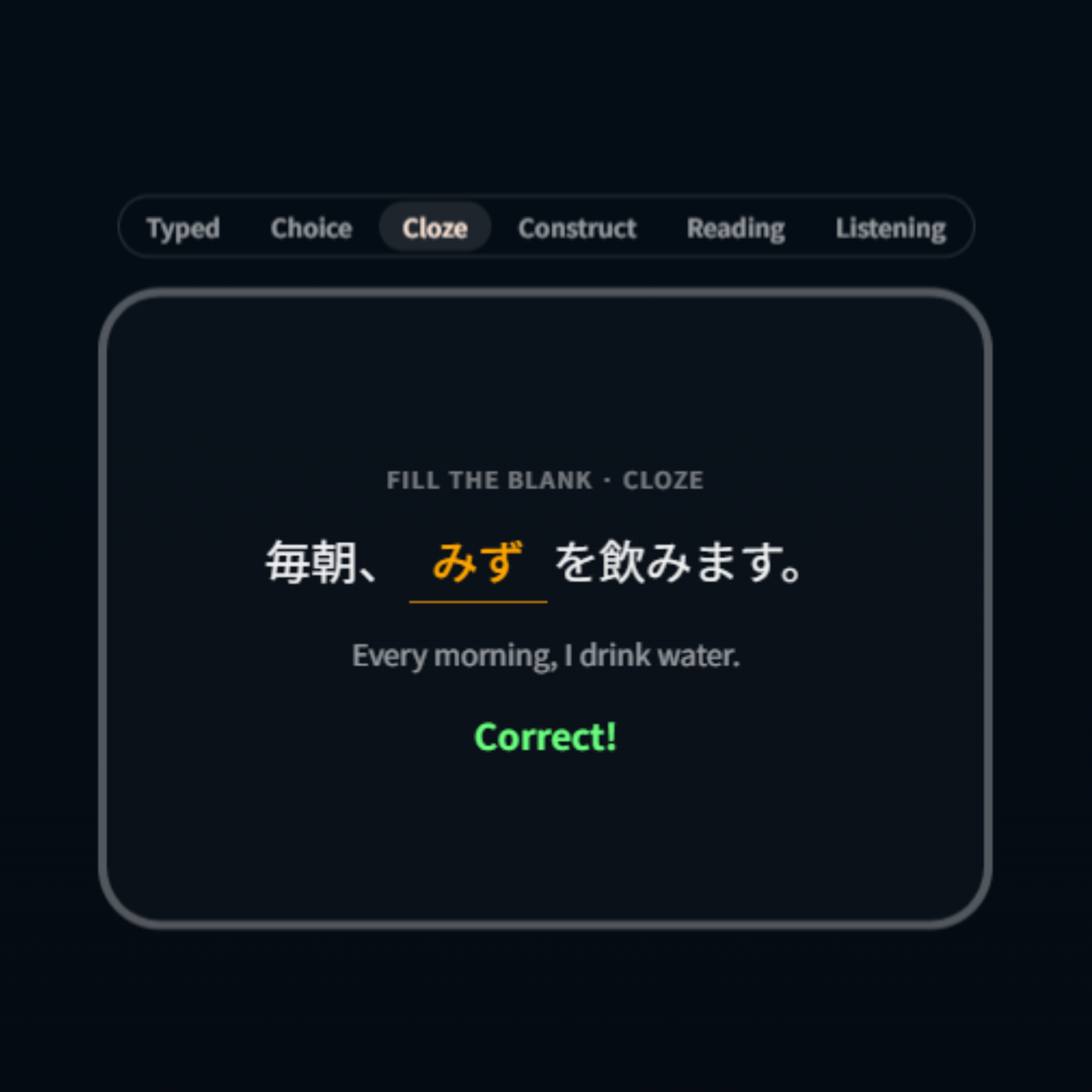
Questions come in three formats, and the app picks the direction and format for each one as it goes. Typed answers are forgiving about kana and character width, and romaji-to-kana conversion is built in, so there's no need for a system IME. Multiple choice is built from hand-picked look-alikes and level-appropriate distractors. Cloze drops a blank into a real example sentence to test recall in context.
Every item has a home
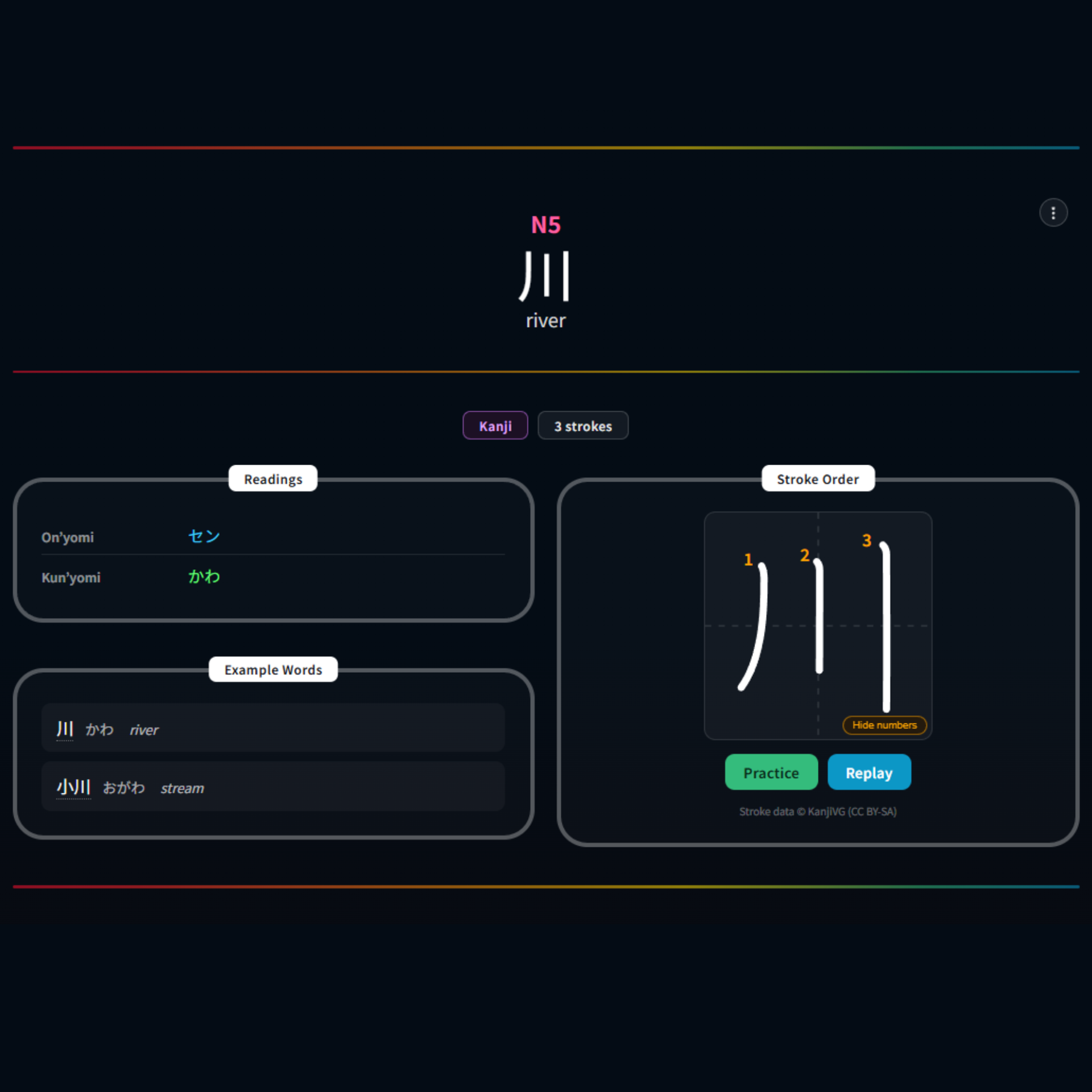
Beyond the review queue, every word, grammar point and character has its own detail page. Vocabulary entries show a full conjugation and inflection table. Kanji get animated stroke-order diagrams and a freehand writing canvas that grades what you draw. Hover-furigana reveals the kana reading of any kanji word in example text on hover, focus or tap, and it quietly stops appearing once that word has entered your reviews, so the training wheels come off on their own.
A design language of its own
The interface is a dark, glassmorphism design system: a near-black navy-to-maroon background, frosted-glass panels with thin white borders and a faint rainbow tint, clean white titles, and a button system whose color carries intent. Four core hues, lifted straight from the も in the logo, run through the entire palette. Accessibility is a target rather than an afterthought: WCAG 2.2 AA, with visible focus rings, reduced-motion support, language tagging on Japanese text, and screen-reader summaries for the charts. An earlier holographic gradient treatment on titles was cut when it failed contrast against the dark background.
Tech & architecture
The stack is a React single-page app on the front, a TypeScript Node and Express API behind it, and MongoDB for storage. Shared logic lives in internal packages, so more than one client can be built on the same foundation.
Course content isn't hard-coded. It's authored in a separate internal tool, which means the curriculum can grow without shipping new code. The platform is built to run on managed cloud hosting, with a CDN for native-speaker audio, a payment provider for subscriptions, and a dedicated service for transactional email.
Security is treated as a first-class concern rather than a late pass: access is scoped to the individual learner, and anything privileged is verified on the server.